Last updated: September 27, 2026
Most people looking for a reset on the Ninja Espresso & Coffee Barista System have hit one of a handful of situations: the clean light will not turn off, the machine will not start a brew, buttons stopped responding, or the display is blinking something unfamiliar. Because this machine combines capsule espresso with grounds-based coffee from cup size to carafe, it has more sensors and interlocks than a basic drip brewer, and many “faults” are the machine protecting itself. Working through the likely causes in the right order fixes most issues without a support call.
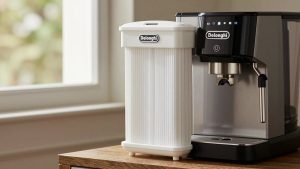
Quick answer: Our top pick in 2026 is the Water reservoir — our #1 rated choice. See the full ranked comparison, alternatives and buying advice below.
Start With a Clean Power Cycle
A power cycle resolves more glitches than any hidden button combination. Turn the machine off, unplug it from the wall, and wait a full 60 seconds. That pause matters because it lets the control board fully lose power instead of retaining a confused state. Plug it back in, switch on, and try a simple water-only brew. If the machine behaves normally, the issue was temporary, often caused by a brief power dip, a brew interrupted mid-cycle, or a button pressed at the wrong moment.
Plug it into the wall
This machine heats a substantial amount of water, and an overloaded extension cord or a strip shared with a toaster can drop voltage enough to confuse the electronics. Use a wall outlet during troubleshooting to rule this out.
Check the Interlocks Before Assuming a Fault
Hybrid brewers will refuse to start if something is not seated correctly. Go through each of these before trying anything else:
| Check | What to look for | Typical symptom if wrong |
|---|---|---|
| Water reservoir | Seated fully and filled above the minimum line | No brew, or add-water warning |
| Capsule adapter / lid | Closed and latched fully | Espresso buttons unresponsive |
| Used capsule container | Emptied and pushed fully home | Machine will not accept a new capsule |
| Brew basket | Correctly inserted for grounds brewing | Grounds-brew functions will not start |
| Carafe or cup position | Placed as the manual shows for the chosen size | Drip-stop behaviour, pause or overflow |
A reservoir that sits a few millimetres high because of a crumb on its seat is a surprisingly common reason for a “dead” machine.
Clearing the Clean Indicator
The clean indicator tracks usage and prompts a descale. It generally clears once a full clean cycle completes. If you descaled using a different method, stopped the cycle early, or ran it without the correct amount of solution, the machine may not register it as finished. The reliable fix is to run the complete Clean cycle as described in your manual, with descaler at the recommended dilution and a large enough vessel to catch everything, then complete the rinse. If you are looking for a button combination to dismiss the light without descaling, check your manual for your specific model number; however, clearing the light without descaling just hides a real maintenance need.
When the Machine Heats but Will Not Brew
If the machine powers on and the display looks normal, yet no water flows, the likely causes are an air lock in the water path, scale restricting flow, or a blocked outlet.
- Air lock: Remove the reservoir, refill it with fresh water, reseat it firmly, and run a water-only cycle. Repeat twice if flow starts weak and then improves.
- Scale: If you are overdue for descaling, a clean cycle may restore flow. Hard water areas can clog a machine within a few months.
- Blocked outlet: Inspect the capsule chamber and brew basket area for trapped grounds or capsule fragments after the machine has cooled.
When Buttons Stop Responding
A frozen control panel usually clears with the 60-second unplug. If a single button stops working while the others respond, try cleaning the panel surface; dried coffee or milk splatter can interfere with touch-style controls. If buttons remain dead after a power cycle and a clean panel, contact Ninja customer support, since a control board or panel issue is not something to open the housing for, and doing so may affect warranty coverage.
Is There a Factory Reset?
Unlike app-connected machines with stored profiles, this brewer does not rely on user accounts or network settings, so there is little to “factory reset” in the usual sense. Any special button-hold sequences for resetting counters or indicators vary by model and revision; follow the manual that matches the model number on the base of your machine rather than a sequence from a video about a different Ninja brewer, because Ninja makes many similar-looking coffee systems with different control schemes.
FAQ
Why does the machine stop mid-brew?
Low water, a reservoir that shifted during brewing, or a size selection larger than the vessel placed under the outlet are the common causes. Refill, reseat, and match the brew size to the cup or carafe.
Should I reset after descaling?
Not usually. Completing the full clean and rinse cycles is what clears the indicator. A power cycle afterwards does no harm if something seems off.
Bottom line
Resetting the Ninja Barista System is mostly methodical checking: unplug for 60 seconds, confirm every removable part is seated, complete a full clean cycle when the light asks for it, and flush with fresh water to clear air locks. If it still misbehaves after all that, it is a support case, not a hidden-button case.
Ready to decide? Our #1 pick for 2026 is the Water reservoir.
Live price & availability on Amazon.